
HIPAA Compliance for Small Healthcare Organizations: A Practical Series
Part 4 of 5 — Administrative, Physical, and Technical Safeguards: Turning Regulation Into Operations
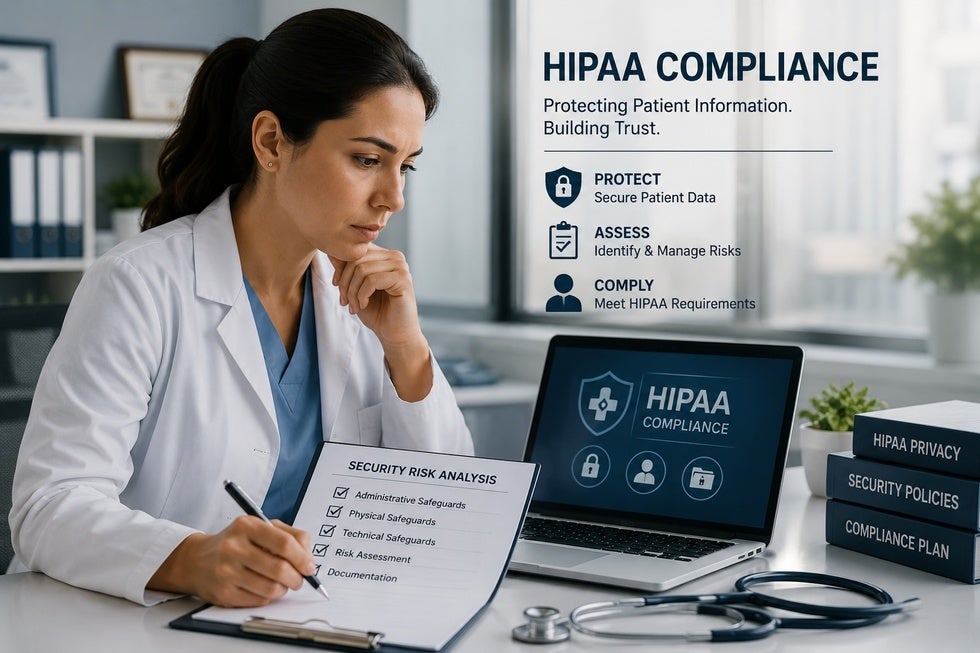
The HIPAA Security Rule organizes its substantive requirements into three categories of safeguards: administrative (45 C.F.R. § 164.308), physical (45 C.F.R. § 164.310), and technical (45 C.F.R. § 164.312). Each category contains a mix of "required" specifications (which must be implemented as written) and "addressable" specifications (which must be implemented if reasonable and appropriate, or addressed through an alternative approach if not — with the rationale documented either way). See 45 C.F.R. § 164.306(d). The "addressable" designation is widely misunderstood as "optional," which it is not — and that distinction would be eliminated entirely under the December 2024 NPRM (90 Fed. Reg. 898) if finalized as proposed. Under current law, an addressable specification that is not implemented must be addressed in writing with a defensible justification under § 164.306(d)(3).
This post translates the Security Rule's three safeguard categories into the specific operational steps a small healthcare organization actually needs to take. The treatment here is intentionally practical rather than exhaustive — the goal is to give organizations a working sense of the scope before they engage counsel and consultants to build the detailed program. NIST SP 800-66 Rev. 2 (Feb. 2024) provides the most detailed implementation guidance available, and is the single best supplemental resource for each safeguard discussed below.
Administrative Safeguards: The Human and Procedural Foundation
Administrative safeguards are the policies, procedures, and people-management practices that govern how the organization protects ePHI. They are the cheapest category to implement and the most commonly neglected. They are also where OCR enforcement most frequently finds problems, because policies that exist on paper but are not actually followed are easy to spot in an investigation. The complete administrative safeguards framework appears at 45 C.F.R. § 164.308.
Security Management Process (§ 164.308(a)(1)). This is the umbrella standard that includes the Security Risk Analysis discussed in Part 3 (§ 164.308(a)(1)(ii)(A)) and risk management (§ 164.308(a)(1)(ii)(B)), plus a sanctions policy (§ 164.308(a)(1)(ii)(C)) and information system activity review (§ 164.308(a)(1)(ii)(D)). The sanctions policy describes what happens to a workforce member who violates security policies — ranging from retraining for a minor lapse to termination for willful misconduct. It must be written, must be acknowledged by every workforce member, and must actually be applied when violations occur. Sanctions policies that look good on paper but are never enforced are worse than no policy at all from an enforcement perspective.
Assigned Security Responsibility (§ 164.308(a)(2)). The organization must designate, in writing, a Security Officer responsible for developing and implementing the security policies. For a small organization this is usually the same person as the Privacy Officer required by the Privacy Rule under § 164.530(a)(1), and the designation can be combined. The role must be a real one — a designated employee with actual authority to make security decisions — not a name on a form.
Workforce Security (§ 164.308(a)(3)). Includes authorization and supervision of workforce members who access ePHI (§ 164.308(a)(3)(ii)(A)), workforce clearance procedures (§ 164.308(a)(3)(ii)(B)), and termination procedures (§ 164.308(a)(3)(ii)(C)). The termination piece is operationally critical: when a workforce member leaves, access must be revoked promptly. Departing employees retaining access to systems containing ePHI is a recurring cause of breaches and a frequent OCR finding.
Information Access Management (§ 164.308(a)(4)). Requires policies for granting access to ePHI based on job function and the "minimum necessary" standard under § 164.502(b), and procedures for authorization, establishment, and modification of access. The practical implementation is a written matrix showing what roles get what access, with a documented approval process for changes.
Security Awareness and Training (§ 164.308(a)(5)). Every workforce member must receive training on the organization's security policies and procedures, with periodic security reminders (§ 164.308(a)(5)(ii)(A)), protection from malicious software (§ 164.308(a)(5)(ii)(B)), log-in monitoring (§ 164.308(a)(5)(ii)(C)), and password management (§ 164.308(a)(5)(ii)(D)). The companion Privacy Rule provision at § 164.530(b) requires Privacy Rule training. Training must occur at hire and at intervals thereafter — most organizations train annually, and the proposed Security Rule update would make annual training explicit. Vendors like KnowBe4, MedTrainer, Compliancy Group, and HIPAA Exams sell online training products at $20 to $50 per person per year that satisfy the requirement. The organization must retain dated training records for six years under § 164.530(j).
Security Incident Procedures (§ 164.308(a)(6)). Written procedures for identifying, responding to, and documenting security incidents. The procedures need to distinguish between incidents (any attempted or successful unauthorized access — § 164.304) and breaches (incidents that meet the regulatory definition at § 164.402 triggering notification obligations under §§ 164.404–164.410). A security incident log must be maintained.
Contingency Plan (§ 164.308(a)(7)). Includes data backup plan (§ 164.308(a)(7)(ii)(A)), disaster recovery plan (§ 164.308(a)(7)(ii)(B)), emergency mode operations plan (§ 164.308(a)(7)(ii)(C)), testing and revision procedures (§ 164.308(a)(7)(ii)(D), addressable), and applications and data criticality analysis (§ 164.308(a)(7)(ii)(E), addressable). For a cloud-based organization, this is largely a matter of documenting the vendor's backup arrangements, the organization's procedures for restoration, and how the organization will operate during an outage. The plans must be tested periodically — actually tested, not just reviewed.
Evaluation (§ 164.308(a)(8)). Periodic technical and non-technical evaluation of the security program. This is the requirement that drives annual SRA updates.
Business Associate Contracts (§ 164.308(b)). Covered in detail in Part 2 of this series. The administrative safeguards include the obligation to have BAAs in place with every business associate and to maintain documentation of them.
For a small organization, the administrative safeguards build typically involves licensing a template policy library ($500 to $3,000 one-time or subscription), customizing the templates to the organization's actual operations (with counsel review), training all workforce members, designating officers in writing, and standing up the ongoing processes (incident logging, access management, contingency plan testing). The investment is moderate; the discipline to actually operate the program is the harder part.
Physical Safeguards: The Environment Where ePHI Lives
Physical safeguards, set out at 45 C.F.R. § 164.310, address the physical environment where ePHI is accessed, stored, or transmitted. For organizations with traditional office space and on-premises systems, these requirements look familiar. For organizations that are fully remote or fully cloud-based, the implementation looks different but the requirements still apply.
Facility Access Controls (§ 164.310(a)). Procedures to limit physical access to systems and facilities while ensuring authorized access is allowed. Implementation specifications (all addressable) include contingency operations (§ 164.310(a)(2)(i)), a facility security plan (§ 164.310(a)(2)(ii)), access control and validation procedures (§ 164.310(a)(2)(iii)), and maintenance records (§ 164.310(a)(2)(iv)). For an office, this includes locked doors, visitor sign-in, badge or key control, and restricted access to server rooms or other areas where ePHI is concentrated. For a remote workforce, the focus shifts to home office security — written policies requiring workforce members to access ePHI from secure locations, lock devices when unattended, and avoid working in public spaces where screens are visible to others.
Workstation Use (§ 164.310(b)). Policies governing the proper functions to be performed at workstations that access ePHI, including how the work is performed and the physical attributes of the surroundings.
Workstation Security (§ 164.310(c)). Physical safeguards for workstations themselves. Every device that accesses ePHI must have, in practice: full-disk encryption, screen lock after a defined idle period (typically 10 to 15 minutes), current operating system patches, antivirus software, and either inventory tracking or a clear policy on personal devices (most small organizations should prohibit personal devices for ePHI access, or implement a managed BYOD program with explicit controls).
Device and Media Controls (§ 164.310(d)). Procedures for receipt, removal, and disposal of hardware and electronic media containing ePHI. Required implementation specifications include disposal (§ 164.310(d)(2)(i)) and media re-use (§ 164.310(d)(2)(ii)); accountability (§ 164.310(d)(2)(iii)) and data backup and storage (§ 164.310(d)(2)(iv)) are addressable. The disposal piece is the one most frequently mishandled. OCR's guidance on disposal — Guidance on Disposing of Electronic Devices and Media (2017), available at hhs.gov/hipaa/for-professionals/privacy/guidance/disposal-of-protected-health-information — makes clear that devices that have contained ePHI cannot be donated, sold, or thrown away after a simple file deletion. The data must be destroyed using a method that prevents recovery, consistent with NIST SP 800-88 Rev. 1, Guidelines for Media Sanitization (Dec. 2014). Certified IT asset disposition vendors (Iron Mountain, Sims Lifecycle Services, regional certified e-waste recyclers) provide this service and issue a Certificate of Destruction that goes in the compliance file. Removable media — USB drives, external hard drives, optical media — are particularly high risk, and most organizations should prohibit their use for ePHI.
For a small remote organization, physical safeguards are mostly a policy exercise plus procurement: encryption-enabled devices issued to workforce members, written remote work policies, a relationship with a certified disposal vendor, and documentation of the controls in place. For an organization with physical office space, add commercial-grade door hardware, alarm systems, and visitor management procedures.
Technical Safeguards: Controls on the Systems Themselves
Technical safeguards, set out at 45 C.F.R. § 164.312, are the controls implemented within the information systems that store, process, or transmit ePHI. This is where vendor selection and configuration choices have the most direct compliance impact.
Access Control (§ 164.312(a)). Required implementation specifications include unique user identification (§ 164.312(a)(2)(i)) — every user has a unique login; shared accounts are prohibited — and emergency access procedures (§ 164.312(a)(2)(ii)). Addressable specifications include automatic logoff (§ 164.312(a)(2)(iii)) and encryption and decryption (§ 164.312(a)(2)(iv)). Multi-factor authentication is not explicitly named in the current rule, but OCR enforcement actions consistently cite the absence of MFA as a compliance failure, and the proposed Security Rule update at § 164.312(d) of the NPRM would make MFA an express requirement for any access to ePHI.
Audit Controls (§ 164.312(b)). Hardware, software, and procedural mechanisms that record and examine activity in systems containing ePHI. Every system handling ePHI must log who accessed what, when, and what they did. Documentation supporting audit controls must be retained for six years under § 164.316(b)(2)(i). The Security/Privacy Officer should review logs periodically (quarterly at minimum) for unusual activity, and the review must be documented to satisfy § 164.308(a)(1)(ii)(D) (information system activity review). Most organizations need a centralized log management tool — SIEM products for larger organizations, simpler log aggregation tools for smaller ones — because manual review of logs from dozens of systems is operationally infeasible.
Integrity (§ 164.312(c)). Policies and procedures to protect ePHI from improper alteration or destruction; mechanism to authenticate ePHI (addressable, § 164.312(c)(2)). Implementation typically involves version control on documents, audit trails on database records, and reliable backups that allow restoration of unaltered records.
Person or Entity Authentication (§ 164.312(d)). Procedures to verify that a person seeking access is who they claim to be. In practice this means strong authentication — passwords meeting current complexity requirements (NIST SP 800-63B, Digital Identity Guidelines: Authentication and Lifecycle Management, June 2017), multi-factor authentication for any remote access or privileged access, and increasingly, conditional access policies that restrict authentication based on device, location, or behavior.
Transmission Security (§ 164.312(e)). Technical safeguards to prevent unauthorized access to ePHI being transmitted over networks. Two addressable specifications: integrity controls (§ 164.312(e)(2)(i)) and encryption (§ 164.312(e)(2)(ii)). Although encryption is addressable under the current rule, the HHS Guidance to Render Unsecured Protected Health Information Unusable, Unreadable, or Indecipherable to Unauthorized Individuals (74 Fed. Reg. 19006 (Apr. 27, 2009), reaffirmed in subsequent OCR guidance) effectively creates a safe harbor for breaches of properly encrypted PHI — and conversely, treats unencrypted ePHI as unsecured if intercepted. So encryption is effectively required. Use TLS 1.2 or higher for any system that transmits ePHI; secure email tools (Paubox, Virtru, Microsoft Purview Message Encryption) for email containing ePHI; secure file transfer (SFTP, encrypted cloud sharing) instead of unencrypted attachments. NIST SP 800-52 Rev. 2, Guidelines for the Selection, Configuration, and Use of Transport Layer Security (TLS) Implementations (Aug. 2019), provides the federal standard for TLS configuration.
Vendor and Platform Selection: Where Most Implementation Choices Are Actually Made
For a small healthcare organization, the technical safeguards are largely a function of which platforms the organization uses. Choosing HIPAA-eligible platforms at the outset is dramatically easier than retrofitting compliance onto consumer-grade tools later. OCR's guidance on cloud computing — Guidance on HIPAA & Cloud Computing, hhs.gov/hipaa/for-professionals/special-topics/cloud-computing — directly addresses business associate status of cloud service providers and the requirements for BAAs in cloud relationships.
The categories that matter most:
Productivity and email. Google Workspace (Business Plus tier or higher) and Microsoft 365 (Business Premium or higher) both offer BAAs and HIPAA-eligible configurations. Consumer Gmail, consumer Outlook, and most other email platforms do not. Configuration matters — the BAA covers the platform, but the organization must configure it properly (data loss prevention, retention policies, audit logging enabled).
Secure external email. For email containing ePHI sent to recipients outside the organization, a secure email gateway is generally needed. Paubox, Virtru, and Microsoft Purview are common choices.
Cloud storage and infrastructure. AWS, Microsoft Azure, and Google Cloud all offer BAAs and HIPAA-eligible services. Dropbox, Box, and other file-sharing services offer BAAs on appropriate tiers but require correct configuration.
Practice management, EHR, and CRM. Healthcare-specific platforms generally offer BAAs as a matter of course. General-purpose CRMs (Salesforce, HubSpot) offer BAAs on appropriate tiers — Salesforce Health Cloud is the healthcare-specific version. Many smaller SaaS tools do not offer BAAs at all, and using them for ePHI is non-compliant regardless of how the organization configures them.
E-signature. DocuSign and Adobe Sign both offer BAA-eligible tiers. Free e-signature tools typically do not.
Communication tools. Slack, Microsoft Teams, and Zoom all offer BAAs on appropriate tiers, but the standard consumer tiers do not. Configuration matters significantly — Teams with BAA coverage configured correctly is HIPAA-eligible; Teams without a BAA or improperly configured is not.
Managed IT services. For organizations without in-house IT expertise, a healthcare-focused managed services provider can handle device configuration, MFA deployment, encryption, patching, and log monitoring as a bundled service, typically $100 to $300 per user per month. The MSP must sign its own BAA with the organization.
Common Implementation Pitfalls
Several patterns come up repeatedly in compliance failures:
Treating addressable specifications as optional. The "addressable" designation does not mean optional. See 45 C.F.R. § 164.306(d)(3); OCR Guidance on Risk Analysis (clarifying that addressable specifications must either be implemented or addressed with documented alternatives). The documentation requirement is real — undocumented decisions not to implement addressable specifications are findings waiting to happen.
Configuring HIPAA-eligible tools as if they were not. Signing a BAA with a cloud provider does not make every configuration of that provider's service HIPAA-compliant. Default configurations often need adjustment — audit logging must be turned on, retention policies must be set, sharing controls must be tightened. The BAA is necessary but not sufficient.
Allowing shadow IT. Workforce members often adopt convenient tools (consumer messaging apps, personal email, free file-sharing services) for work purposes, including for ePHI. Every such use is non-compliant. Organizations need both a written policy prohibiting unauthorized tools and active measures to detect and prevent their use.
Ignoring mobile devices. Smartphones used to access work email, voicemail, or text messages often contain ePHI. They need the same controls as workstations: encryption, screen locks, remote wipe capability, and managed deployment through a mobile device management platform. OCR's Mobile Device Privacy and Security resources at healthit.gov/topic/privacy-security-and-hipaa/your-mobile-device-and-health-information-privacy-and-security provide useful baseline guidance.
Failing to revoke access at termination. This is among the most common findings in OCR investigations and breach reports. Procedures need to ensure access is revoked across all systems within hours of a workforce member's departure, not days or weeks later.
What This Means Practically
For a small organization implementing safeguards from scratch, a realistic sequence and budget:
1. Policy framework. License or commission a template library and customize with counsel review. $1,000 to $5,000 plus legal review costs.
2. Workforce training. Select a training platform and complete initial training for all workforce members. $500 to $2,000 annually.
3. Officer designation. Formal written appointment of Privacy and Security Officers (§ 164.530(a)(1) and § 164.308(a)(2)).
4. Platform selection. Migrate to HIPAA-eligible productivity, communication, and storage platforms. Often incremental cost over consumer tiers; sometimes a meaningful expense.
5. Device and access controls. Standardized device configuration, MFA deployment, encryption verification, access matrix documentation. May require managed services engagement at $100-$300 per user per month.
6. Logging and monitoring. Centralized log management, periodic review procedures.
7. Vendor BAAs. Inventory every vendor touching ePHI and execute BAAs with each.
8. Operationalize the program. Build the actual habits — incident logging, access reviews, training cycles, contingency plan testing — that make the documentation real.
The realistic first-year investment in safeguards for a small organization typically runs $25,000 to $75,000, plus ongoing costs. Organizations that try to do this for materially less are usually skipping pieces that will be visible to OCR or to a sophisticated business associate counterparty.
Up next in Part 5: Certification, Attestation, and Ongoing Compliance — what you can credibly tell partners about your compliance posture, what third-party frameworks exist, and how to maintain compliance once it is built.
Selected Authorities and Resources
Regulatory provisions:
• 45 C.F.R. § 164.306 (security standards: general rules)
• 45 C.F.R. § 164.308 (administrative safeguards)
• 45 C.F.R. § 164.310 (physical safeguards)
• 45 C.F.R. § 164.312 (technical safeguards)
• 45 C.F.R. § 164.314 (organizational requirements)
• 45 C.F.R. § 164.316 (policies and procedures and documentation requirements)
• 45 C.F.R. § 164.530 (administrative requirements — Privacy Rule)
Pending regulatory change:
• HIPAA Security Rule To Strengthen the Cybersecurity of Electronic Protected Health Information, 90 Fed. Reg. 898 (Jan. 6, 2025) (proposed)
HHS/OCR guidance:
• HHS, Guidance to Render Unsecured Protected Health Information Unusable, Unreadable, or Indecipherable to Unauthorized Individuals, 74 Fed. Reg. 19006 (Apr. 27, 2009)
• OCR, Guidance on Disposing of Electronic Devices and Media (2017)
• OCR, Guidance on HIPAA & Cloud Computing, hhs.gov/hipaa/for-professionals/special-topics/cloud-computing
• OCR, Cybersecurity Newsletters (ongoing), hhs.gov/hipaa/for-professionals/security/guidance/cybersecurity-newsletter-archive
NIST guidance:
• NIST SP 800-66 Rev. 2, Implementing the HIPAA Security Rule: A Cybersecurity Resource Guide (Feb. 2024)
• NIST SP 800-30 Rev. 1, Guide for Conducting Risk Assessments (Sept. 2012)
• NIST SP 800-52 Rev. 2, Guidelines for the Selection, Configuration, and Use of Transport Layer Security (TLS) Implementations (Aug. 2019)
• NIST SP 800-53 Rev. 5, Security and Privacy Controls for Information Systems and Organizations (Sept. 2020)
• NIST SP 800-63B, Digital Identity Guidelines: Authentication and Lifecycle Management (June 2017, with subsequent updates)
• NIST SP 800-88 Rev. 1, Guidelines for Media Sanitization (Dec. 2014)
• NIST Cybersecurity Framework 2.0 (Feb. 2024)
Industry frameworks:
• HHS, Health Industry Cybersecurity Practices (HICP) (2023 ed.), 405(d) program at 405d.hhs.gov
• HHS, Healthcare and Public Health Sector Cybersecurity Performance Goals (Jan. 2024), hhs.gov/about/news/2024/01/24/hhs-announces-healthcare-cybersecurity-performance-goals

Comments
There are no comments for this post. Be the first and Add your Comment below.
Leave a Comment